Coming soon to iPhone
Know Your Normal. Hear What Changes.
Record your breathing when you're well, and BreathPrint saves it as your personal baseline: five chest sites, filtered down to breath sound alone, and shown as a waveform and a spectrogram you can see and hear.
Three Steps to Your Own Baseline
No account, no cloud processing. Everything happens on your phone.
-
Record
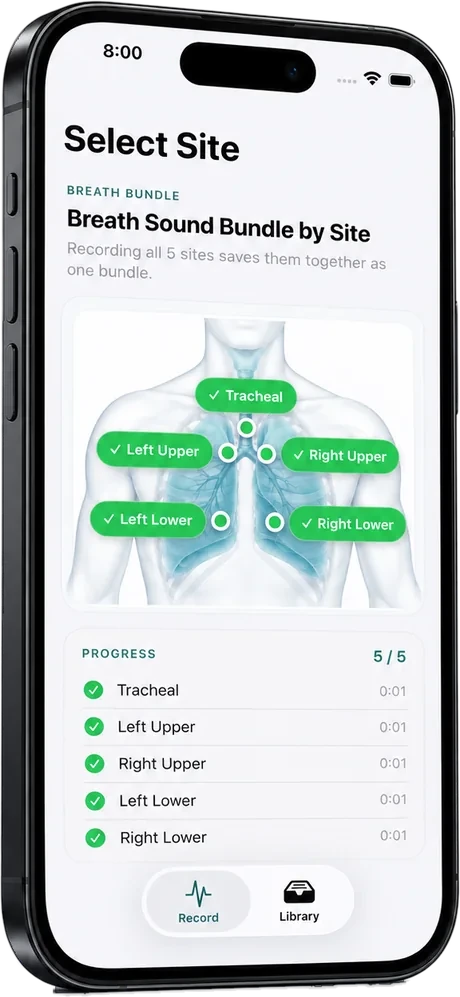
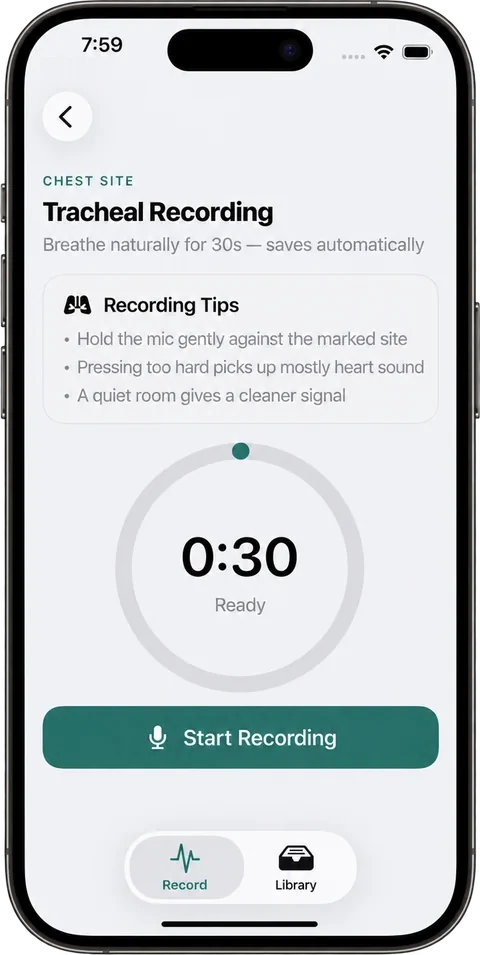
Hold your phone to five chest sites for 30 seconds each: tracheal, left and right upper, left and right lower. The app guides you through every site.
-
Save your baseline
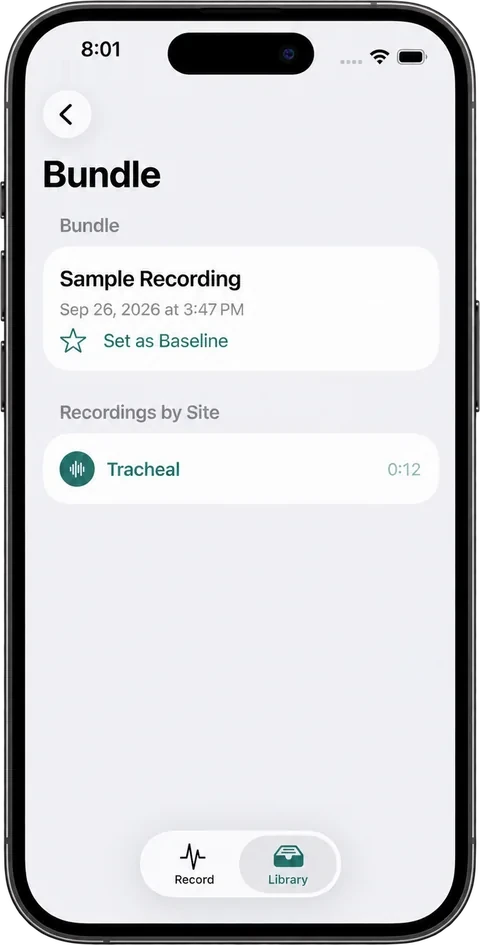
On a day you feel well, save one full five-site set as your baseline. Breath sounds differ from person to person, so your own normal is a better reference than a population average.
-
See and hear your breathing
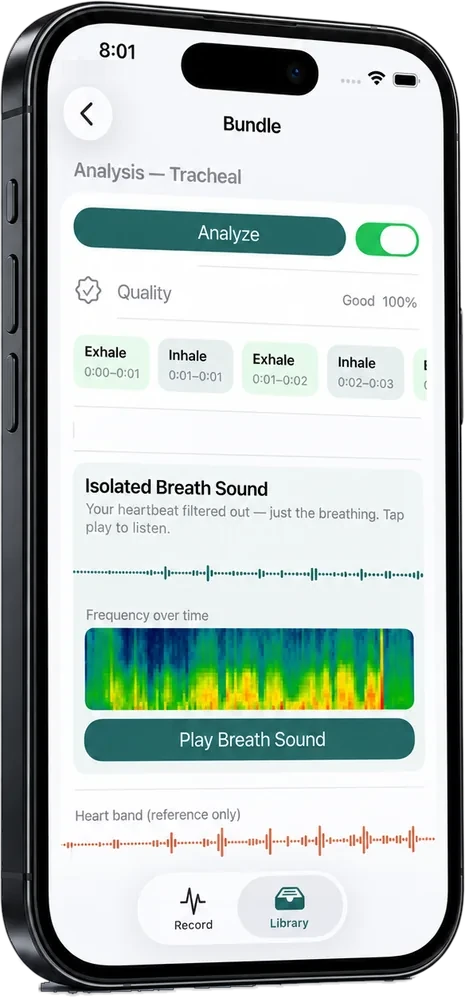
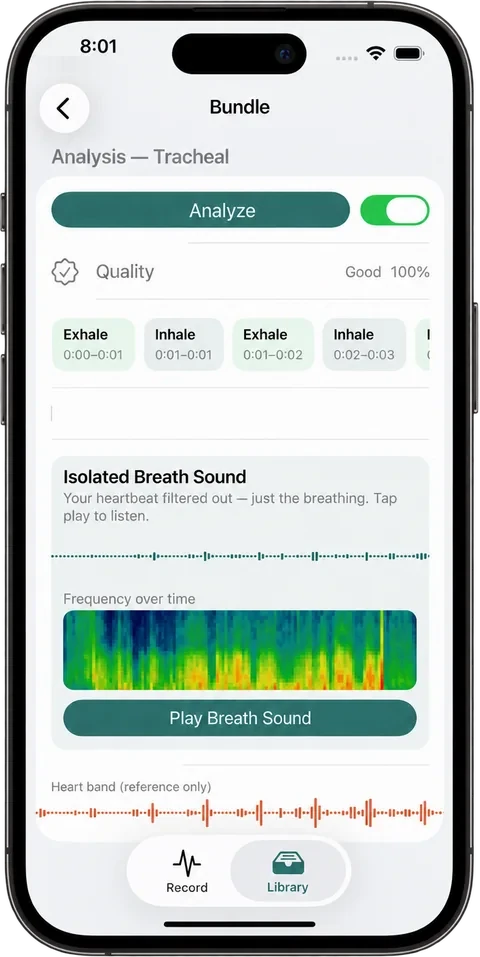
BreathPrint filters out your heartbeat and shows the breath sound as a waveform and a spectrogram, with playback. Comparing a new recording side by side with your baseline is planned for a future version.
What Happens to Your Recording
Every step happens on your iPhone. Your recordings are never uploaded.
-
Capture
You hold your phone to each chest site for 30 seconds.
-
Separate
The app filters out your heartbeat so only the breath sound is left. The heartbeat is kept for reference.
-
Segment
Each breath is split into inhale and exhale, and the app checks how clean the recording is.
-
Visualize
The breath sound is drawn as a waveform and a spectrogram, a picture of which pitches are in the sound over time.
-
Save
The five site recordings are saved together as one labeled baseline set.
Technical details
- Audio format
- AAC (.m4a), 44.1 kHz, mono
- Heart and breath separation
- Three cascaded RC filters
- Spectrogram
- Hann-window FFT with Apple's Accelerate framework (vDSP)
- Testing
- Filtering and spectrogram checked against known test signals before use on real recordings. Not clinically validated.
- Built with
- Swift, SwiftUI, AVFoundation, Accelerate/vDSP
- Stage
- Working iOS prototype
A Video Call Can't Hear What a Stethoscope Does.
During COVID, many patients were treated entirely through video calls, where a clinician could not place a stethoscope on their chest. Breathing problems went undiagnosed because that signal never made it through the call.
An infectious disease physician's clinical experience of missed diagnoses during this time motivated the idea behind BreathPrint.
Source: Remote Auscultation of Heart and Lungs as an Acceptable Alternative to Legacy Measures in Quarantined COVID-19 Patients. Peer-reviewed, PMC9103963.
BreathPrint was selected for SAIF 2026 in the Biotechnology & Digital Health track.
In the clinic
A stethoscope on the chest.
The clinician hears the breath soundsOn a video call
Camera and voice only.
Breath sounds never reach the clinicianWith BreathPrint
The phone records five chest sites at home.
Breath sounds are captured and kept as your own baselineQuestions
- Is BreathPrint a medical device?
- No. BreathPrint doesn't diagnose anything. It records, filters and visualizes your breath sounds and keeps them as your personal baseline. Diagnosis remains the responsibility of a licensed clinician.
- Do I need any extra equipment?
- No. BreathPrint uses your iPhone's built-in microphone.
- How long does a recording take?
- 30 seconds at each of five chest sites: tracheal, left and right upper, left and right lower.
- Can it compare a new recording with my baseline?
- Not yet. Side-by-side comparison with your baseline is planned for a future version. Today the app records, filters, visualizes and saves your recordings.
- Where are my recordings stored?
- Only on your phone. There's no account, server, cloud sync, or analytics. Deleting a recording removes it permanently.
- When can I get it?
- BreathPrint is a working iOS prototype and isn't on the App Store yet. Join the launch list and we'll email you once when it's available.
Get Notified at Launch
Leave your email and we'll send you one message when BreathPrint is available on iPhone. We won't use your email for anything else.
Opens a short Google Form. See the privacy policy.